Showing posts with label javascript. Show all posts

Sunday, June 13, 2010

HindiTransliteration (c# and JavaScript implementation, works offline)

When I was in college, I wrote a quick and dirty code to transliterate in Hindi (DevNagari Script). Much before Google's Implementation.
{This code was kept on my old desktop PC,I Thought, its a good idea to share with the rest of the world}


Though my implementation is not very robust, but Its very simple and small. It does not require any Internet connection and can work offline.

Note: code was originally written in C#.net and converted to javascript latter.
Here is C#.net Code(solution zipped)

You need to call function
DoTransLitrate(str)
Where str(as input): Phonetically typed (in English) Hindi .
Returns: Hindi in Devnagari script.


Using JavaScript Code
Get the JavaScript File from here include in your html page and call function
DoTransLitrate()
  DEMO  

Saturday, February 13, 2010

Playing with Javascript Closure, JSON, & YQL to Visualize upcoming Android Version Names

Hi There,
As you know that First version of android was named "cupcake" and then it was "Donut" and current version is "Éclair".
People found a pattern in naming; they are alphabetical names of cake. Now many people on internet came up with the names up to the Z.
Here they are

  • Cupcake
  • Donut
  • Eclair Cake
  • Frosting
  • Gelato
  • Honey
  • Icing cake
  • Jelly
  • Kiwi
  • Lemon
  • Marshmellow
  • Noodle
  • Orange
  • Pudding
  • Quince
  • RockyRoad
  • Sundae
  • Taffee
  • upside-down-cake
  • Vanilla
  • Waffle
  • Xmas Cookies
  • Yogurt
  • Zebra Cake


I am completely unaware of some of these names; I really don’t know how they look like. So here i made a small YQL hack to get images with these names to visualize them.


Here is the YQL Bing table query to images


function get_images_from_bing(query,callback){
var yql_url="http://query.yahooapis.com/v1/public/yql?q=select%20*%20from%20microsoft.bing.image%20where%20query%3D%22"+query+"%22&format=json&env=store%3A%2F%2Fdatatables.org%2Falltableswithkeys&callback=callbacks."+callback;
var div_ele=document.getElementById("myscrpts");
var scrpt=document.createElement("SCRIPT");
scrpt.src=yql_url;
div_ele.appendChild(scrpt);
}

Here I am using closure to get a call-back function which will render the my images.


function GetCallbackFunction(element){
/*
element will be accessible to inner returned function
even after outer function has returned
*/
return function(data){
/*Get randomely from top 3 images*/
var index=get_random(3);
index=index%data.query.results.ImageResult.length;
element.src=data.query.results.ImageResult[index].MediaUrl;
};
}

Wednesday, June 24, 2009

How to translate using Google Translate API ?( why it sucks?)

Recently Google have launched  Translate API. Which is nice and quick way to get your text translated. This is also good when you are translating HTML formatted text. They will preserve the formatting.
Here I have quickly created a Hack To enable any document translatable.
lets assume you have a document likethis.In which every paragraph which requires translation is a div with Id “lang_text”
<div class="lang_text">
Just checking that this thing will be translated properly or not?
</div>

Now with the help of jQery i will add a DorpDownList just above these div, when you select it will translate the text.
Simple Translate API works like this
google.language.translate('This is what i want to translate', 'en', ‘el’,
function(result)
{
if (result.translation)
{
alert(result.translation);
}
}
);


Why it sucks?
On the demo page, you will see that its not translating the last paragraph. Yes, this where it sucks. It does not translate longer text. WTF?
Here is complete source. (you can also view source of demopage)
<html>
<head>
<script src='http://www.google.com/jsapi' type='text/javascript'></script>
<script type='text/javascript'>
google.load('visualization', '1', {packages: ['table']});
google.load("jquery", "1.3.2");
google.load("jqueryui", "1.7.1");
google.load("language", "1");
</script>
<style type="text/css">
#TranslatedText{
color: #cc0000
}
</style>
<script type="text/javascript">
$(document).ready(function(){
var ele=document.createElement('div');

$(ele).html('Translate<select class="translate_lan"><option value="en">English</option><option value="hi">Hindi</option><option value="el">Greek</option><option value="sq">Albanian</option><option value="ar">Arabic</option><option value="bg">Bulgarian</option><option value="ca">Catalan</option><option value="zh-CN">Chinese</option><option value="hr">Croatian</option><option value="cs">Czech</option><option value="da">Danish</option><option value="nl">Dutch</option><option value="en">English</option><option value="et">Estonian</option><option value="tl">Filipino</option><option value="fi">Finnish</option><option value="fr">French</option><option value="gl">Galician</option><option value="de">German</option><option value="el">Greek</option><option value="iw">Hebrew</option><option value="hi">Hindi</option><option value="hu">Hungarian</option><option value="id">Indonesian</option><option value="it">Italian</option><option value="ja">Japanese</option><option value="ko">Korean</option></select>');
$(ele).attr('class','translate');
$('.lang_text').before(ele);
$('.translate_lan').change(function(){
var translate_text=$(this).parent().next('.lang_text').html();
if(translate_text)
{
google.language.translate(translate_text, 'en', this.value, function(result) {
if (result.translation) {
$("#TranslatedText").html(result.translation);
}
if(result.error)
{
$("#TranslatedText").html(result.error.message);
}
alert('done');
});

}
});
google.language.getBranding('brand');
});
</script>
</head>
<body>
<div id="TranslatedText" title="Translation">
Your Translation will appear here
</div>
<div class="lang_text">
This is a simple text
</div>
<div class="lang_text">
Just checking that this thing will be translated properly or not?
</div>
<div class="lang_text">
This is a HTML, <a href="http://www.markandey.com">This is a link.</a> This is not
a link.
</div>
<div class="lang_text">
Lets test for multiparagraph translation
<p>
This is paragraph1</p>
<p>
This is paragraph2</p>
</div>
<div class="lang_text">
Description of Service. The API consists of Javascript and associated service
protocols that enable You to display results from Google ("Google Results") on your
website or in your application (each, a "Property"), subject to the limitations
and conditions described below. You are allowed to use the API only to display,
and to make such uses as are necessary for You to display, Google Results on your
Property. The API does not provide You with the ability to access, and you are not
allowed to access, other underlying Google Services or data. 1.2 Modifications.
Google is constantly innovating in order to provide the best possible experience
for its users. Google reserves the right to change the form and nature of the Service
that Google provides (e.g. to charge for access to the API, to set a maximum number
of Google Results You may access through the API, etc.) with or without notice.
In addition, Google reserves the right to release subsequent versions of the API
at any time with or without notice, but in accordance with Section 1.3. If a modification
is unacceptable to You, You may cancel the Service by removing the Javascript and/or
other implementation of the API from your Property. If You continue to use the Service
on any Property, You will be deemed to have accepted the modifications. 1.3 Deprecation.
If Google in its discretion chooses to cease providing the current version of the
Service whether through discontinuation of the Service or by upgrading the Service
to a newer version, the current version of the Service will be deprecated and become
a Deprecated Version of the Service. Google will issue an announcement if the current
version of the Service will be deprecated. For a period of 3 years after an announcement
(the "Deprecation Period"), Google will use commercially reasonable efforts to continue
to operate the Deprecated Version of the Service and to respond to problems with
the Deprecated Version of the Service deemed by Google in its discretion to be critical.
During the Deprecation Period, no new features will be added to the Deprecated Version
of the Service.
</div>
<div id="brand">
</div>
</body>
</html>
Now Let me guess why it does not work. This API is based on a REST API. A REST API submits the data using a URL
e.g.
so certainly you have the limitation of data you can send.
So beware of such scenario, else you might encounter a hang case, because your call-back will not be invoked!!!

Thursday, May 21, 2009

13 Great Online tools for web-developers (Interface designers)

As a web interface designer you might be spending plenty of time on internet.  Some time you might not be having your favourite editor or debugger with you and still you quickly wanted to develop a web page, a mash-up or a quick hack. Here in this blog I am giving you a full list of tool via which you can quickly develop your page without needing any desktop based tool.  In fact some of the tools which i am going to list down here is not even available for any desktop (windows/linux/mac).
Note: Things listed at the start may not be very useful but things at the end are really magical.
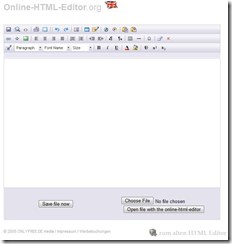
1.HTML Editor: [www.online-html-editor.de] This is full WYSIWYG editor, just type format and get the html code immediately.
image
2.CSS Editor[CSSMate] This is one of the nice CSS tool, you can change font, background,layout and get CSS code on the fly.
image
3.HTML Code Cleaner: [DirtyMarkup] This is, one of the must have tool. You can clean your HTML code. It helps you in removing empty paragraph and sort of things. Just visit and have a look.
image
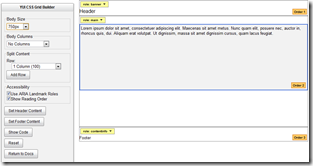
4.Quick Layout Maker: [YUI: CSS Grid Builder] I love this tool a lot. This is a quick way to get a blank layout of a webpage via YUI CSS. Best way to create a browser neutral layout.
image
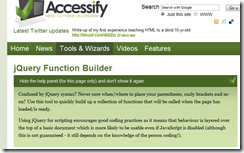
5. jQuery Function Builder: [jQuery Builder]If you choosing to use jQuery for your webpage/mash-up then use this tool to quickly come up with the function layout. This is Good because we often forget the syntax and notations.
image
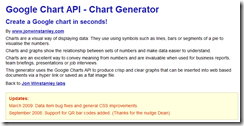
6.Chart Generator: [Google Chart Builder]Use this one to get a quick Google chart. Nice one.
image
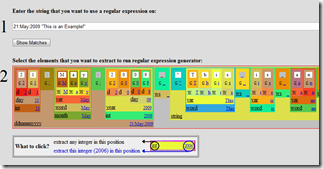
7.Regular Expression builder: [http://txt2re.com/] OMG This is awesome tool, just brilliant. Use this to quickly build a regular expression in any language. This is not only specific for web developer. This is great online tool of all developers, no matter which language you working in. I love this because,I  often work with different languages and I really hate to know that every language has different regular expression syntax.
image
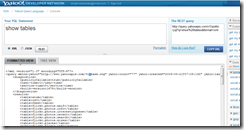
8.YQL Console: [YQL Console] YQL is something which you find little weird at first, but once you know the power of it, you will be amazed. This is great way to create Mash-Up.
Here you type a SQL like syntax, which will be converted in to a URL, (REST URL) . This URL will fetch you data in the format you have selected (RSS/JSON/XML etc.) . You can get any data like search result from web, image. Or anything like images from flickr on even something like a very specific data from any URL. Please don't miss the HTML data source, because this can fetch you data from anywhere, using XPATH this is so powerful feature. Just enough tool to re-engineer entire web.
image
9.JavaScript Beautifier: [http://jsbeautifier.org/] This is a good tool to indent your JavaScript code online.
image
10.JavaScript Minifier: [JSMin] This is a great tool to compress your JavaScript code, minimize your JavaScript code to really really small one. saves lots of bandwidth. This is innovation of Douglas Crockford and has many implementation in other languages as well.
image
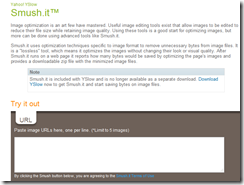
11.Image Compress: Smush.it™ This is really good tool, I don't know what it does, but i will compress your image well beyond your typical editor is compressing. Try it once. Good to save bandwidth.
image
12.JavaScript Code analysis: [JSLint] This finds bug in your JavaScript code automatically.This is another great invention of Douglas Crockford
image
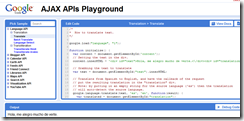
13.Google API Playground: [AJAX APIs Playground] This is collection of working sample code which is using Google's Ajax APIs, nice and fancy way to quickly create a MashUp.
image
So that’s it. Enjoy creating Mash-Ups & Hack.. Online. 
Tip: Bookmark this BlogPost to launch these tools anywhere.

Sunday, March 1, 2009

Start Learning Javascript (Online Tools, Blogs and many more)

This article is for those people, who have recently developed interest in web programming. Hope you have learned server side basics and now you are trying to impress your friends with nice User Interface of your website. When you will start doing the client side web development, the most annoying and frustrating thing you will find is 'BROWSER'!!!. DOM parsing APIs varies from one browser to other and that result in error and frustration.
NO PROBLEM. We have YUI (Yahoo User Interface). It’s a JavaScript library form Yahoo. YUI.DOM APIs exposes some set DOM parsing APIs; they manage the cross browser problems centrally. So that we web developer can have easy time concentrating on feature rather than dealing with browser complexities.
YUI also provide CSS files that helps in getting a uniform look across the browsers. Request you to read in details on YUI site. They also have some videos on their site (YUI Theatre),

Tools
Editor: My recommendation for javascript editor will be Notepad++ OR Aptana Studio .

Debugger: Now Once you are ready with your code, where will you run JavaScript??? of course you will test in browser. But we have best browser to test!! Its Mozilla Firefox. Make sure that you have FireBug (a add-on for firefox). If you don't have you can download it here
I love firebug, this is the best debugger for JavaScript.

Beautify: Now sometime you will love to beautify your JavaScript code. Just to have better control and readability. Though most of the editors do it, but here is an online tool to do it. It’s called Javascript beautifier.

Static Analysis: Now finally here is another JavaScript on-line tool to verify and find some critical problems in your JavaScript code!! JLINT

Tutorials
This is one of the nice tutorials about JavaScript. Here Do not forget to go thru the videos on YUI theater. specialy this one
Yahoo! JavaScript Architect Douglas Crockford provides a comprehensive introduction to the JavaScript Programming Language in this four-part video:
Part 1: 31 minutes
Part 2: 31 minutes 
Part 3: 29 minutes
Part 4: 20 minutes
Download slides (zipped PowerPoint file)
Blogs
I will love to recommend these 3 blogs.
http://24ways.org/
http://www.yuiblog.com/
http://ajaxian.com/
I love to recommend Christians personal blog.. He is a geek so you can track his blog as well.
http://www.wait-till-i.com/

Do not forget to see this JavaScript library. if you are looking to have some cool animation on your site.
http://script.aculo.us/

That’s it enjoy developing and Mashing Up.. Ooh ya here is few nice things to do mash up
YQL and Google ajax playground