Showing posts with label Review. Show all posts

Monday, September 6, 2010

Portable wire-free Wi-Fi Router in India


Tata has launched a new product “TATA Photon Wi-Fi Router”. With this, you can now create a portable hotspot anytime, anywhere. It is a device that enables you to share Wi-Fi with up to 5 users/devices simultaneously to access internet: Imagine the whole family accessing the internet from their respective devices – iPod Touch, WiFi enabled smartphone, laptop – on the go, all using this one portable router!

Introductory price is 4999/-

Device is powered by rechargeable Li-ion Battery.
More Information find here

Saturday, November 21, 2009

Google's "Chrome OS" is Bad Evolution

I am a computer engineer. I will always love to see computing evolving in right direction.
Google Chrome OS is bad for evolution of computing.

Computing evolved with Desktop computing and then web apps. Browser Based apps are always slow and faulty, they can never be as robust as a desktop application can be.

After The invention of web services and REST API, I would love to see web enabled desktop Apps.

I love the concept of Portable Apps , When we mix concept of portable Apps and Cloud Based storage, we can achieve much better results.  BUT Google will never let it happen, they are re-inventing all those age old things again in browser. I have posted a small video response on you tube.

Here it is.

Tuesday, October 13, 2009

Bungee with BungeeAmerica (on The Bridge to Nowhere)

Yes, I am talking about my life time experience of bungee jumping which I did with company called Bungee America.


How to get reservation
--Call them (310-322-8892) and follow the procedure

Experience

  1. Bungee Jumping is awesome, I jumped thrice.  But jumping with bungee America is even cool, because you are 100% safe.
  2. Before reaching to bungee spot, we hiked 5 miles in canyons(deep inside San Gabriell mountains). that was really cool. In-fact I hv never done any hiking like that before. Hiking on the trail, was really adventurous.
  3. First we all reached Azusa, 6th street. From there we drove our car to last parking deep inside the San Gabriell mountains.
  4. From Last Parking lot we all hiked to "Bridge To Nowhere", which is a 5 mile hike, and you will cross the river 6 times. So our shoes gone wet (we all were in Bermuda Pants). This hike takes almost 2 hours of time and very tiring, though there are no steep slope.
  5. We all had our lunch with us, because there is nothing you will get there to eat.
  6. When you will reach there everyone will be excited & when you will go for bungee, everyone will cheer you up. That is cool, because when you are going for something like that you need support of crowd.


Photos
Here you go FullScreen
(Photos are mapped here)
Note: Azusa is a place near to Los Angeles, CA

Wednesday, June 24, 2009

How to translate using Google Translate API ?( why it sucks?)

Recently Google have launched  Translate API. Which is nice and quick way to get your text translated. This is also good when you are translating HTML formatted text. They will preserve the formatting.
Here I have quickly created a Hack To enable any document translatable.
lets assume you have a document likethis.In which every paragraph which requires translation is a div with Id “lang_text”
<div class="lang_text">
Just checking that this thing will be translated properly or not?
</div>

Now with the help of jQery i will add a DorpDownList just above these div, when you select it will translate the text.
Simple Translate API works like this
google.language.translate('This is what i want to translate', 'en', ‘el’,
function(result)
{
if (result.translation)
{
alert(result.translation);
}
}
);


Why it sucks?
On the demo page, you will see that its not translating the last paragraph. Yes, this where it sucks. It does not translate longer text. WTF?
Here is complete source. (you can also view source of demopage)
<html>
<head>
<script src='http://www.google.com/jsapi' type='text/javascript'></script>
<script type='text/javascript'>
google.load('visualization', '1', {packages: ['table']});
google.load("jquery", "1.3.2");
google.load("jqueryui", "1.7.1");
google.load("language", "1");
</script>
<style type="text/css">
#TranslatedText{
color: #cc0000
}
</style>
<script type="text/javascript">
$(document).ready(function(){
var ele=document.createElement('div');

$(ele).html('Translate<select class="translate_lan"><option value="en">English</option><option value="hi">Hindi</option><option value="el">Greek</option><option value="sq">Albanian</option><option value="ar">Arabic</option><option value="bg">Bulgarian</option><option value="ca">Catalan</option><option value="zh-CN">Chinese</option><option value="hr">Croatian</option><option value="cs">Czech</option><option value="da">Danish</option><option value="nl">Dutch</option><option value="en">English</option><option value="et">Estonian</option><option value="tl">Filipino</option><option value="fi">Finnish</option><option value="fr">French</option><option value="gl">Galician</option><option value="de">German</option><option value="el">Greek</option><option value="iw">Hebrew</option><option value="hi">Hindi</option><option value="hu">Hungarian</option><option value="id">Indonesian</option><option value="it">Italian</option><option value="ja">Japanese</option><option value="ko">Korean</option></select>');
$(ele).attr('class','translate');
$('.lang_text').before(ele);
$('.translate_lan').change(function(){
var translate_text=$(this).parent().next('.lang_text').html();
if(translate_text)
{
google.language.translate(translate_text, 'en', this.value, function(result) {
if (result.translation) {
$("#TranslatedText").html(result.translation);
}
if(result.error)
{
$("#TranslatedText").html(result.error.message);
}
alert('done');
});

}
});
google.language.getBranding('brand');
});
</script>
</head>
<body>
<div id="TranslatedText" title="Translation">
Your Translation will appear here
</div>
<div class="lang_text">
This is a simple text
</div>
<div class="lang_text">
Just checking that this thing will be translated properly or not?
</div>
<div class="lang_text">
This is a HTML, <a href="http://www.markandey.com">This is a link.</a> This is not
a link.
</div>
<div class="lang_text">
Lets test for multiparagraph translation
<p>
This is paragraph1</p>
<p>
This is paragraph2</p>
</div>
<div class="lang_text">
Description of Service. The API consists of Javascript and associated service
protocols that enable You to display results from Google ("Google Results") on your
website or in your application (each, a "Property"), subject to the limitations
and conditions described below. You are allowed to use the API only to display,
and to make such uses as are necessary for You to display, Google Results on your
Property. The API does not provide You with the ability to access, and you are not
allowed to access, other underlying Google Services or data. 1.2 Modifications.
Google is constantly innovating in order to provide the best possible experience
for its users. Google reserves the right to change the form and nature of the Service
that Google provides (e.g. to charge for access to the API, to set a maximum number
of Google Results You may access through the API, etc.) with or without notice.
In addition, Google reserves the right to release subsequent versions of the API
at any time with or without notice, but in accordance with Section 1.3. If a modification
is unacceptable to You, You may cancel the Service by removing the Javascript and/or
other implementation of the API from your Property. If You continue to use the Service
on any Property, You will be deemed to have accepted the modifications. 1.3 Deprecation.
If Google in its discretion chooses to cease providing the current version of the
Service whether through discontinuation of the Service or by upgrading the Service
to a newer version, the current version of the Service will be deprecated and become
a Deprecated Version of the Service. Google will issue an announcement if the current
version of the Service will be deprecated. For a period of 3 years after an announcement
(the "Deprecation Period"), Google will use commercially reasonable efforts to continue
to operate the Deprecated Version of the Service and to respond to problems with
the Deprecated Version of the Service deemed by Google in its discretion to be critical.
During the Deprecation Period, no new features will be added to the Deprecated Version
of the Service.
</div>
<div id="brand">
</div>
</body>
</html>
Now Let me guess why it does not work. This API is based on a REST API. A REST API submits the data using a URL
e.g.
so certainly you have the limitation of data you can send.
So beware of such scenario, else you might encounter a hang case, because your call-back will not be invoked!!!

Saturday, June 20, 2009

2 must have Bookmarklet for Chrome

Hey there,
I believe we miss two good feature from Firefox and IE, which is
  1. Automatic detection of RSS feed link.
  2. Ability to have a portable bookmark (somewhere on the cloud)
Let me tell you 2 Bookmarklets (What is Bookmarklet?) which will solve your problem.
1.Google Reader Subscribe Bookmarklet:
image1. Go to [Google Reader ]—>Settings—>goodies page.
image 2. Get Subscribe bookmarlet.
3.Now when every time you visit a blog, to subscribe that just click this bookmarlet. This will automatically detect the RSS link. You can immediately subscribe in your reader as well.
2.Google Bookmark Bookmarklet:
Go to Google bookmark account and at the bottom of the page you will find this Bookmarklet.
image
Now jus click this Bookmarklet to bookmark anything on Google Bookmarklet.

Thursday, June 18, 2009

New WebApps & Gadgets , You can give a try

Thanks for visiting my blog. If you use Google reader you can subscribe to my blog.
Here in this post , I am going to tell you few new things which came on web recently. Then I will discuss about new gadgets. Specially how they have impressed me.
WebApps

image
Wolfram|Alpha : This is a new search engine, which can give you accurate facts and figures. e.g when your search “what is population of UK?” you will get an answer as  “60.8 million people  (2007 estimate)”.  I think this is useful in these kind of cases, but it fails when you search “who invented electric bulb?”. This search engine is not of much use. But this has brought healthy competition in the market, to innovate on search engine front.

image
Bing : Bing is a new search engine from Microsoft. Its kind of re-branding of live.com. It has few good features. I love the image search on Bing, I just need to keep on scrolling, and I will keep getting the images. this is better than Google because currently image search technology is not accurate,and I often don't find image, for which i am looking for on my first page. So clicking through the pages is really annoying.

image
Google Squared: Sometime you want to get your search results in a tabular form, Google has came up with Google Squared to get the search result in tabular form. Try searching “cars” here

image
Hunch: This is another, product from founder of Flickr, Caterina Fake. Hunch helps you make decisions and gets smarter the more you use it.

image
Acrobat.com: acrobat.com is new office suite launched by adobe. This is another competitor of Google docs. Though there are plenty of online office suite is already available. Like Zoho .
Gadgets
image
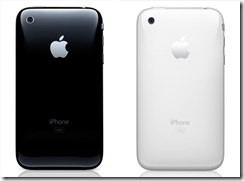
iPhone 3GS:This is new iPhone, which is faster than 3G. Has more memory, has more battery life and has video recording. Its has MMS, Virtual keyboard is better one. Operating system on this new iPhone is faster, they have done some kind of optimization, so that UI will be more responsive.
image
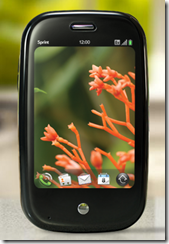
Palm pre: People are looking palm pre as potential competitor to iPhone. UI wise its really stunning. You van switch between apps without coming to home screen (unlike iPhone). Its has qwerty hardware keyboard. GPS,Video,Music all basic Smartphone feature are there. additionally they have activity cards feature. Which is awesome. You will feel like you are working on laptop.
image
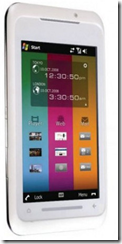
Toshiba TG01 (code name Tsunagi) : This is new phone from Toshiba, which has world’s fastest processor in it. Phone is based on QUALCOMM's Snapdragon Platform, which has ARM, 1GHz processor speed. This is the first time any phone is reaching the 1Ghz milestone. This phone has big LCD screen. And cool UI. It is based on windows mobile.
image
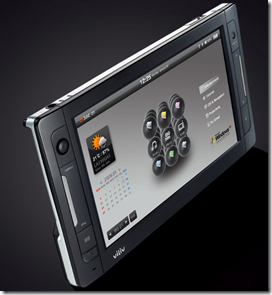
Viliv X70: This is a notebook without keyboard. This is really cool. Equipped with all features like Bluetooth and all. and its also has GPS.
image
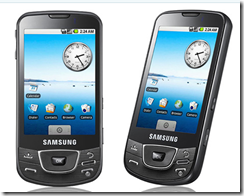
Samsung’s Galaxy i7500: This is first Android based phone from Samsung. I feel like this is just the android version of Omnia.
image
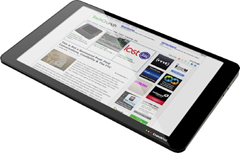
CrunchPad: The Launch Prototype : TechCrunch is a blog company, which has released a prototype of a e-reader. This is a widescreen e-reader, without mouse or keyboard. Its nice Read more here
Thanks, That's it . Read about these gadgets & webapps, and if you like it buy them. Specially the people who are still living the life without any Smartphone, they should buy one now.
Thanks, for reading till end.

Friday, June 12, 2009

Knowledge Pipe:How I live on the web (edge)

This is a small diagrammatic representation of how I live on the web, on day to day basis.
I read multiple blog from various sources on Google Reader, When I like some thing I share that, then those things gets posted on twitter via twitterfeed.
Additionally I tweet my actions/activities on twitter, at my will. I do bloging & when I write something really cool I post on twitter. My tweets goes on FaceBook and Orkut so that my college/family friends will get those.
Now what's the benefit of doing all these?
1.When you keep doing these things, your friends, family members always know that you are fine and doing great. Even if they don't read everything you post, they will know that what you are up to?
2.When you post something, which interest your far friend, he will comment back on the items and consequently you will be able to connect.

image

[CLICK IMAGE TO ENLARGE]
So if you think it make (even a  bit of) sense to you then please start doing it, and am sure this will make you feel that all of your friends are there with you, you will always get a topic to talk with all of your friend.
This is how social networking should be used. So stop posting message like “how are you?” to your friends and use this whole new way of networking.
This is called networking with a “network of social networks”.

Wednesday, June 3, 2009

We need answer, not a new Search Engine!

This week Microsoft have released bing.com a new search engine.  I was very positive about it and  made my mind not to ignore everything which is coming out of Microsoft.
Now I will tell you, today's incident. I was looking into the new release of Opera and read about Dragon-Fly. Dragon-Fly is clone of Firebug on Opera. I also remember that IE-8 also comes with Developer-Tool, which is another clone of Firebug on IE. Naturally a question came in my mind that “Who created this firebug?”.
After this i was about to type “creator of firebug” in Chrome’s Ominibar, but stopped myself, thought of searching this thing in bing.com first.
So what's next? I searched in bing, and bang! i could not get the answer. Now search in Google, the first result is having the name of “joe hewitt” .
So the conclusion is, we need answer not another search engine!!!
(Bing! did you hear that?)
Do you know that hakia.com is another hyped and so called “semantic search engine” which also suck big time. Go and search the “creator of firebug”.
Wolframalpha’s reply about the same query “Wolfram|Alpha isn't sure what to do with your input.

Friday, May 29, 2009

Google Wave


Google wave is really stunning product coming up as open source. Its 2nd biggest thing coming to internet after e-mail. I love to share few thing via my blog.
This is 120 minute stunning video.

Then there are plenty of article all over the world to read about
Go read these content.. Do not miss to register yourself here http://wave.google.com , so that the moment wave will be launched you will be notified over email.
HAPPY WAVING

Thursday, May 21, 2009

13 Great Online tools for web-developers (Interface designers)

As a web interface designer you might be spending plenty of time on internet.  Some time you might not be having your favourite editor or debugger with you and still you quickly wanted to develop a web page, a mash-up or a quick hack. Here in this blog I am giving you a full list of tool via which you can quickly develop your page without needing any desktop based tool.  In fact some of the tools which i am going to list down here is not even available for any desktop (windows/linux/mac).
Note: Things listed at the start may not be very useful but things at the end are really magical.
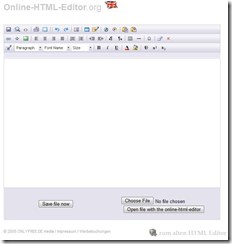
1.HTML Editor: [www.online-html-editor.de] This is full WYSIWYG editor, just type format and get the html code immediately.
image
2.CSS Editor[CSSMate] This is one of the nice CSS tool, you can change font, background,layout and get CSS code on the fly.
image
3.HTML Code Cleaner: [DirtyMarkup] This is, one of the must have tool. You can clean your HTML code. It helps you in removing empty paragraph and sort of things. Just visit and have a look.
image
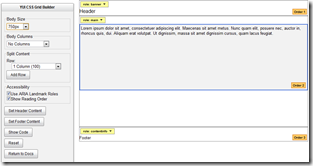
4.Quick Layout Maker: [YUI: CSS Grid Builder] I love this tool a lot. This is a quick way to get a blank layout of a webpage via YUI CSS. Best way to create a browser neutral layout.
image
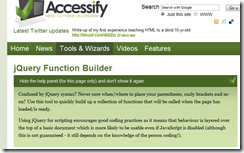
5. jQuery Function Builder: [jQuery Builder]If you choosing to use jQuery for your webpage/mash-up then use this tool to quickly come up with the function layout. This is Good because we often forget the syntax and notations.
image
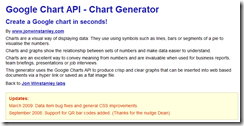
6.Chart Generator: [Google Chart Builder]Use this one to get a quick Google chart. Nice one.
image
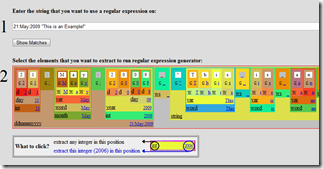
7.Regular Expression builder: [http://txt2re.com/] OMG This is awesome tool, just brilliant. Use this to quickly build a regular expression in any language. This is not only specific for web developer. This is great online tool of all developers, no matter which language you working in. I love this because,I  often work with different languages and I really hate to know that every language has different regular expression syntax.
image
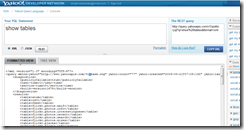
8.YQL Console: [YQL Console] YQL is something which you find little weird at first, but once you know the power of it, you will be amazed. This is great way to create Mash-Up.
Here you type a SQL like syntax, which will be converted in to a URL, (REST URL) . This URL will fetch you data in the format you have selected (RSS/JSON/XML etc.) . You can get any data like search result from web, image. Or anything like images from flickr on even something like a very specific data from any URL. Please don't miss the HTML data source, because this can fetch you data from anywhere, using XPATH this is so powerful feature. Just enough tool to re-engineer entire web.
image
9.JavaScript Beautifier: [http://jsbeautifier.org/] This is a good tool to indent your JavaScript code online.
image
10.JavaScript Minifier: [JSMin] This is a great tool to compress your JavaScript code, minimize your JavaScript code to really really small one. saves lots of bandwidth. This is innovation of Douglas Crockford and has many implementation in other languages as well.
image
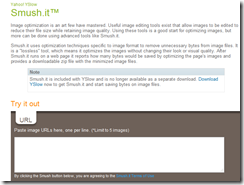
11.Image Compress: Smush.it™ This is really good tool, I don't know what it does, but i will compress your image well beyond your typical editor is compressing. Try it once. Good to save bandwidth.
image
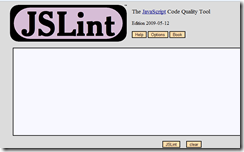
12.JavaScript Code analysis: [JSLint] This finds bug in your JavaScript code automatically.This is another great invention of Douglas Crockford
image
13.Google API Playground: [AJAX APIs Playground] This is collection of working sample code which is using Google's Ajax APIs, nice and fancy way to quickly create a MashUp.
image
So that’s it. Enjoy creating Mash-Ups & Hack.. Online. 
Tip: Bookmark this BlogPost to launch these tools anywhere.

Wednesday, April 29, 2009

How to choose a phone: Role of chipset

When you go out to buy a phone, you look for cool applications, you look for cool user interface and multi touch kind of stuff.One thing you forget to notice! who is running your cool applications?
image
QUALCOMM's chipset based phones.
Very similar to desktop computer, every phone has a processor, which runs your application, but in mobiles, processor is not directly shipped via processor company. (for example in your laptop the processor might be directly coming from  Intel’s fabrication plants or from AMD). In case of mobiles something which is called chipset is manufactured and goes into the mobile handsets. As name suggest a Chipset is not only one thing, but its a set of chips. It includes processor, modem circuitry, power management unit and digital signal processing unit.
Most of the chipset manufacturing companies are using mobile processors as ARM. it means they use ARM architecture for their processing unit. ARM is just an architecture, things can only work when it will be installed on a platform nicely to get the thing work.
Now when it comes to performance, its all about how these things are kept together! There are several companies, which are putting these things together.
I specially want to talk and discuss about Qualcomm’s Chipset. As they evolved from a modem company they have best modem in the market. When it comes to mobile phone, the primary role of the phone is to talk wirelessly. So modem’s efficiency becomes critical. A better modem will also help you to get faster Data rate ,when it comes to data application.
The second most important thing for mobile is the way your voice is processed. How clear and crystal sound you hear from you partner, while you talking on phone. This is done by the digital processing unit in your phone. Qualcomm has best voice processing algorithm in the market.  So when you use any QUALCOMM chipset based phone you will feel the difference.
Now! when you are OK with the primary functionality of phone, you need your phone’s UI to run smoother. Have you ever wondered why high end phones which is based on the chipset of some other companies run so slow? Its because the applications hunger for processing time is not properly fulfilled by underlying chipset.
Most of the latest smart phones like HTC diamond, Samsun Omnia, Sony’s Xperia. All these phones are based on QUALCOMM’s chipset. The series name the chipset which is used by these phone is 72xx. This series chips are having 2 ARM processor in it and separate ‘digital signal  processing’ units. By this way your application and modem runs on 2 different places and hence lighter the load on processor and hence the smoother the UI. Clock rate of this chipset was 400 MHz.
Upcoming QUALCOMM chipset is a  giant platform which is having 1GHz CPU. this the first of its own kind. the name of this upcoming platform is ‘Snapdragon.
So if you are going to buy a phone, go to the market and ask which chipset it has. blindly you can trust on Qualcomm chipsets. they are high performance chipset.
If you are a developer, get yourself ready to develop the applications which is capable enough to Hog this much processing power. 

Thursday, March 19, 2009

Posting Blog using “Windows Live Writer”

Hey!!
I am posting my blog using “Windows Live Write”. This looks too kool!!!
blopostlivewrite
Screenshot

  1. I can add image

  2. It detects the theme and shows you the similar look & feel.

  3. You can download it, here http://download.live.com/writer

  4. Lets publish this blog now…
After Publishing
It looks nice!!!

Sunday, March 1, 2009

Start Learning Javascript (Online Tools, Blogs and many more)

This article is for those people, who have recently developed interest in web programming. Hope you have learned server side basics and now you are trying to impress your friends with nice User Interface of your website. When you will start doing the client side web development, the most annoying and frustrating thing you will find is 'BROWSER'!!!. DOM parsing APIs varies from one browser to other and that result in error and frustration.
NO PROBLEM. We have YUI (Yahoo User Interface). It’s a JavaScript library form Yahoo. YUI.DOM APIs exposes some set DOM parsing APIs; they manage the cross browser problems centrally. So that we web developer can have easy time concentrating on feature rather than dealing with browser complexities.
YUI also provide CSS files that helps in getting a uniform look across the browsers. Request you to read in details on YUI site. They also have some videos on their site (YUI Theatre),

Tools
Editor: My recommendation for javascript editor will be Notepad++ OR Aptana Studio .

Debugger: Now Once you are ready with your code, where will you run JavaScript??? of course you will test in browser. But we have best browser to test!! Its Mozilla Firefox. Make sure that you have FireBug (a add-on for firefox). If you don't have you can download it here
I love firebug, this is the best debugger for JavaScript.

Beautify: Now sometime you will love to beautify your JavaScript code. Just to have better control and readability. Though most of the editors do it, but here is an online tool to do it. It’s called Javascript beautifier.

Static Analysis: Now finally here is another JavaScript on-line tool to verify and find some critical problems in your JavaScript code!! JLINT

Tutorials
This is one of the nice tutorials about JavaScript. Here Do not forget to go thru the videos on YUI theater. specialy this one
Yahoo! JavaScript Architect Douglas Crockford provides a comprehensive introduction to the JavaScript Programming Language in this four-part video:
Part 1: 31 minutes
Part 2: 31 minutes 
Part 3: 29 minutes
Part 4: 20 minutes
Download slides (zipped PowerPoint file)
Blogs
I will love to recommend these 3 blogs.
http://24ways.org/
http://www.yuiblog.com/
http://ajaxian.com/
I love to recommend Christians personal blog.. He is a geek so you can track his blog as well.
http://www.wait-till-i.com/

Do not forget to see this JavaScript library. if you are looking to have some cool animation on your site.
http://script.aculo.us/

That’s it enjoy developing and Mashing Up.. Ooh ya here is few nice things to do mash up
YQL and Google ajax playground

Tuesday, February 24, 2009

Blu, Safari-4 and CoolIris


There are 3 new gr8 looking software available in the market now, i would like to blog about them

1.CoolIris: This is not new, but gr8, if u have ever missed please revisit http://www.cooliris.com/
2.Safari-4: Safari 4 is released yesterday, with nice UI enhancements. few things copied from Chrome. nice looking wall is added to show the top 16 site!! http://www.apple.com/safari/download/
3.Blu: Blu is gr8 looking twitter client for windows (claims that its for Vista and Windows7, but i can run WinXp as well, probably u need to install WPF  (latest .net framework) )

Blu is from http://www.thirteen23.com you can download it from here http://www.thirteen23.com/experiences/desktop/blu/#

Thursday, November 20, 2008

Perfect phone call lasts for nine minutes and 36 seconds

Here is the distribution of topics in a perfect phone call


03:00 --catching up with news about family and friends
01:00 --on personal problems
01:00 --on work/school
00:42 --current affairs
00:24 --weather
00:24 --Chatting about the opposite sex
00:12 --should be spent on celebrity gossip
01:42  --on laughing
00:12 -- of silence
01:00 --General topic
-------------------------
09:36 --Total 


Friday, October 17, 2008

What chrome says when it crashes?

Here is the message u will get when chrome will crash...nice to see it.
Once chrome crashes like that, all of the tabs will be closed and after restart you will get an option to restore the tabs.

Wordle

Wordle is a toy for generating “word clouds” from text that you provide. The clouds give greater prominence to words that appear more frequently in the source text. You can tweak your clouds with different fonts, layouts, and color schemes. The images you create with Wordle are yours to use however you like. You can print them out, or save them to the Wordle gallery to share with your friends.

Wordle is real good one... 
We can print these art on T-shirt, or some where.
give a try http://wordle.net/

Tuesday, October 14, 2008

Mail Goggles

Here is Google's new Gmail's plug-in, which asks you to solve some mathematical problem before sending the mail. You can configure the day-time of week when its will ask for the mathematical questions.

Good for those who can not control themselves, specially when they are drunk.. :)
This is to avoid any embarrassment that caused by people sending the mails when they are half awake.

Simple but elegant product.

Google!! you forgot  one thing, If i have enable this feature i can still send mail via my mobile without any such obstruction..(mobile version of Gmail OR Gmail configured outlook)..

Gmail does not have clear line draw between the mail server and mail client... cus both are at the same end.

Tuesday, September 9, 2008

pptPlex


If you are the one who make presentations quite often then 2 new PowerPoint Plug-ins are available for you.

1.pptPlex---See Here
This is from Microsoft itself. pptPlex is new thing for Power-Point. Its a gr8 Innovation. But Microsoft has to do lot more. It is plug-in for Power-point, which gives a different user experience (interface) while viewing the PowerPoint. The interface makes the entire slides conceptually laying on the one screen and each slides can be zoomed-in to view.

2.PicLens Download
This is lil more poppular as firefox plugin. This is now coming up for powerpoint as well. You can surprise you audiance with this tool.